PlugOS is a secure system deeply customized based on Android. Continuous updates are essential to ensure device security, stability and user experience.The latest version includes updated underlying security patches, fixes for known system vulnerabilities, and enhanced privacy and data protection. It also optimizes performance for smoother and more stable operation, while adding new features and better application compatibility. Updating to the latest version in a timely manner effectively protects your device and important internal assets.
Update PlugOS via the PlugOS Settings tool.
The steps are as follows:
Step1. Go to the PlugMate desktop.
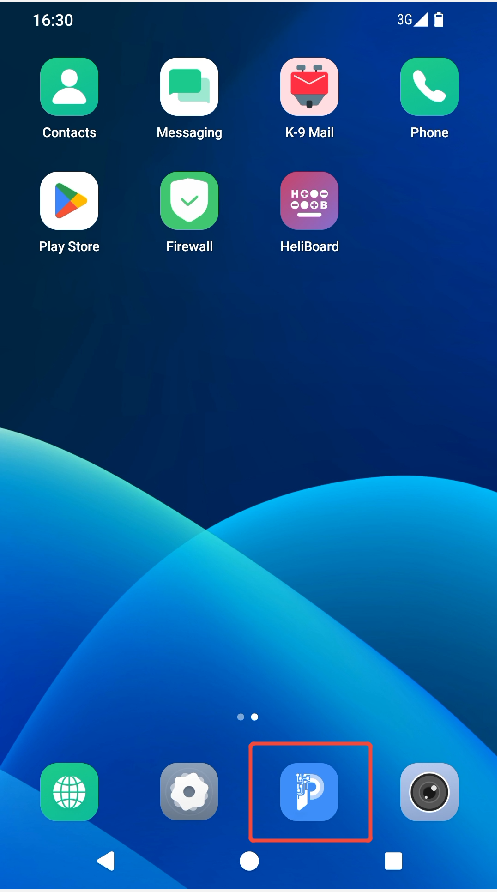
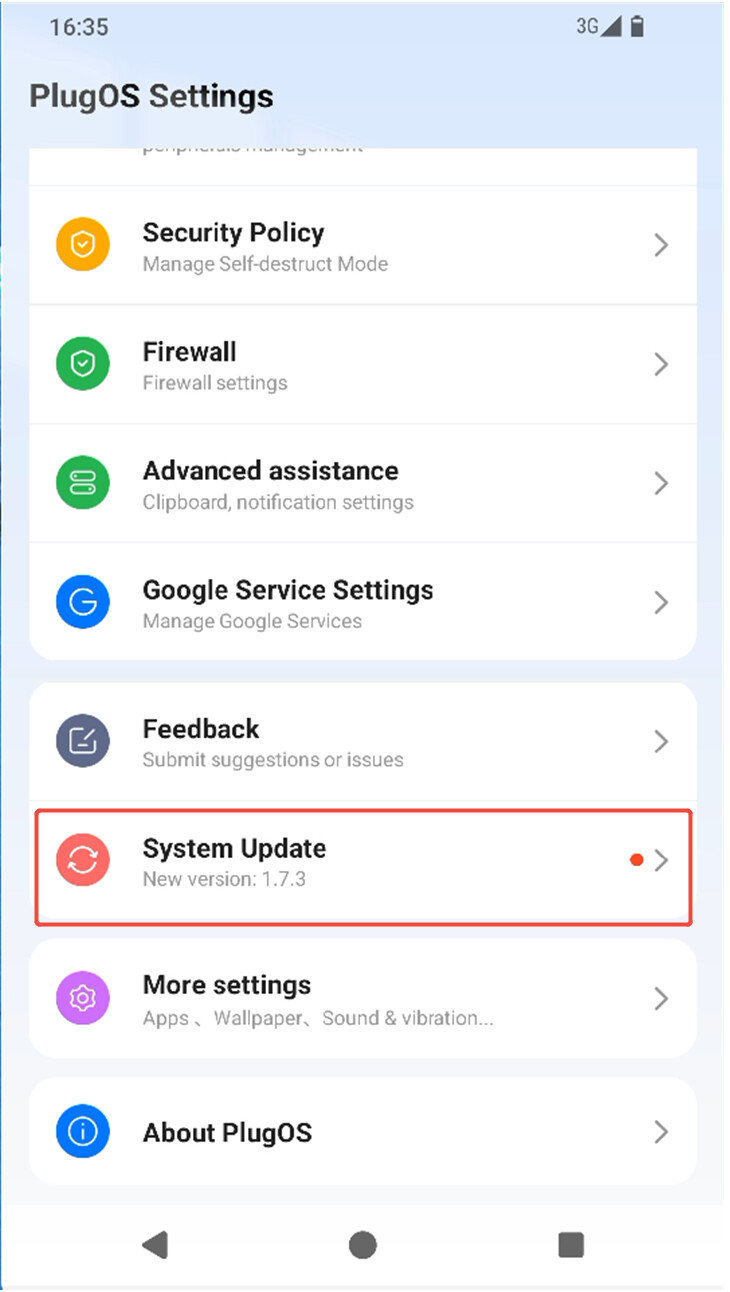
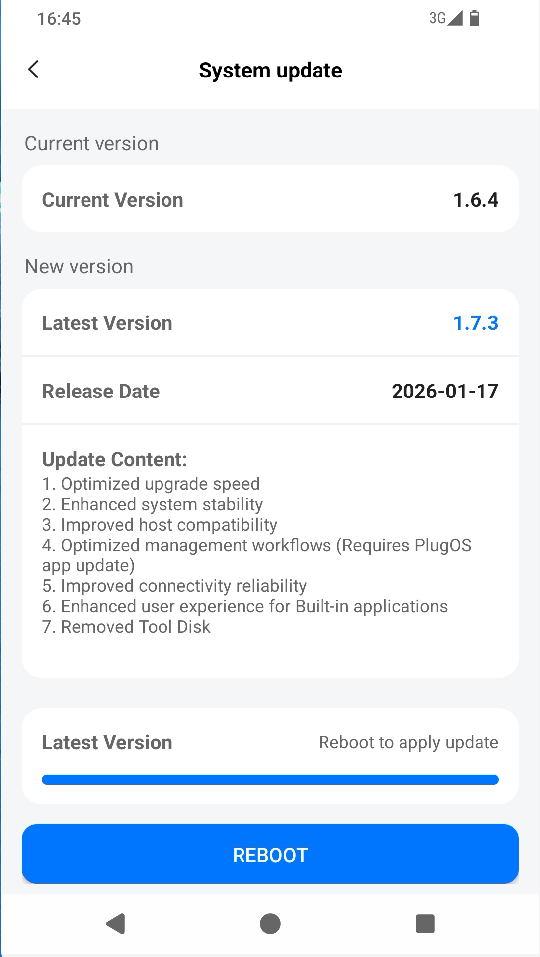
Step2. Open the PlugOS Settings app, scroll down to System Update, and tap to enter the update interface.
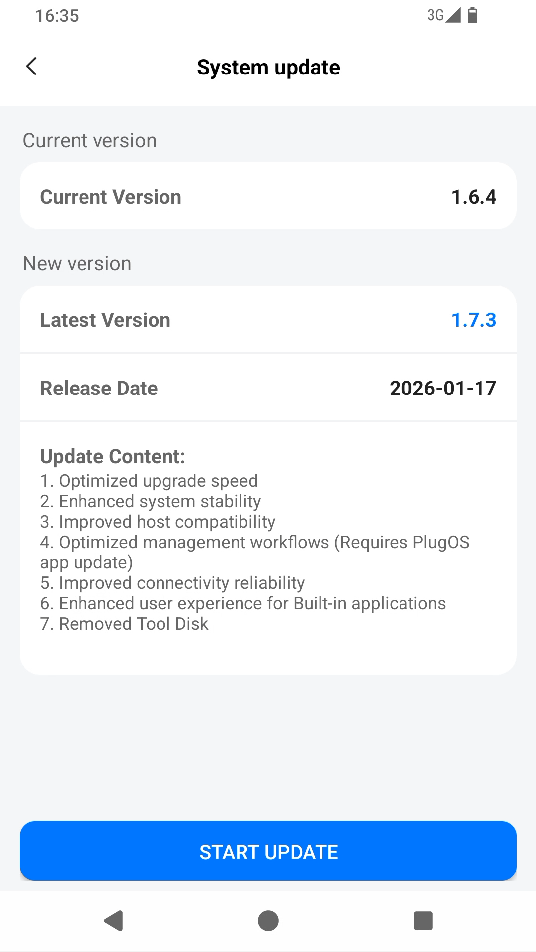
Step3. If a new version is detected, tap START UPDATE to complete the download and installation.
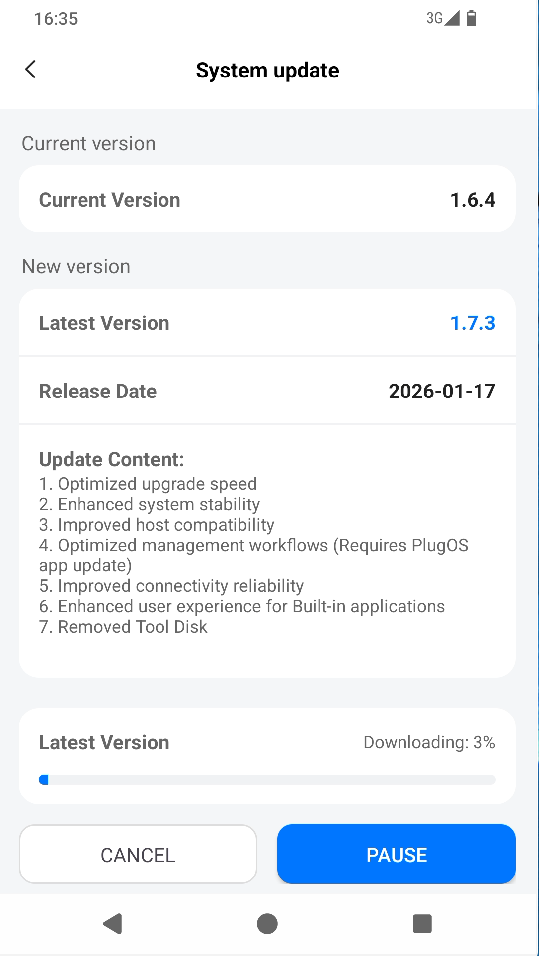
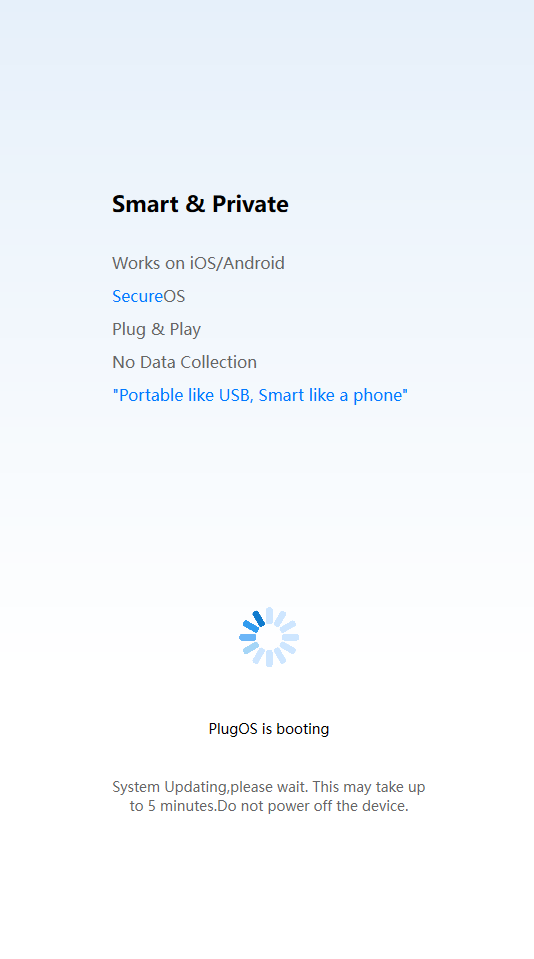
Step4. Once the update package installation is complete, tap REBOOT to activate the new version.
Notes
- The system update package will be downloaded. Please ensure a stable network connection.
- The PlugOS update takes about 10~15 minutes. Please keep the PlugMate desktop in the foreground.
- After rebooting, it will take about 5 minutes to enter the system. Please wait patiently and do not unplug the device.